
Individual profiles
Keep age ranges, avatars, activity, progress, and rewards separate for each learner.
✦ A clearer view for parents
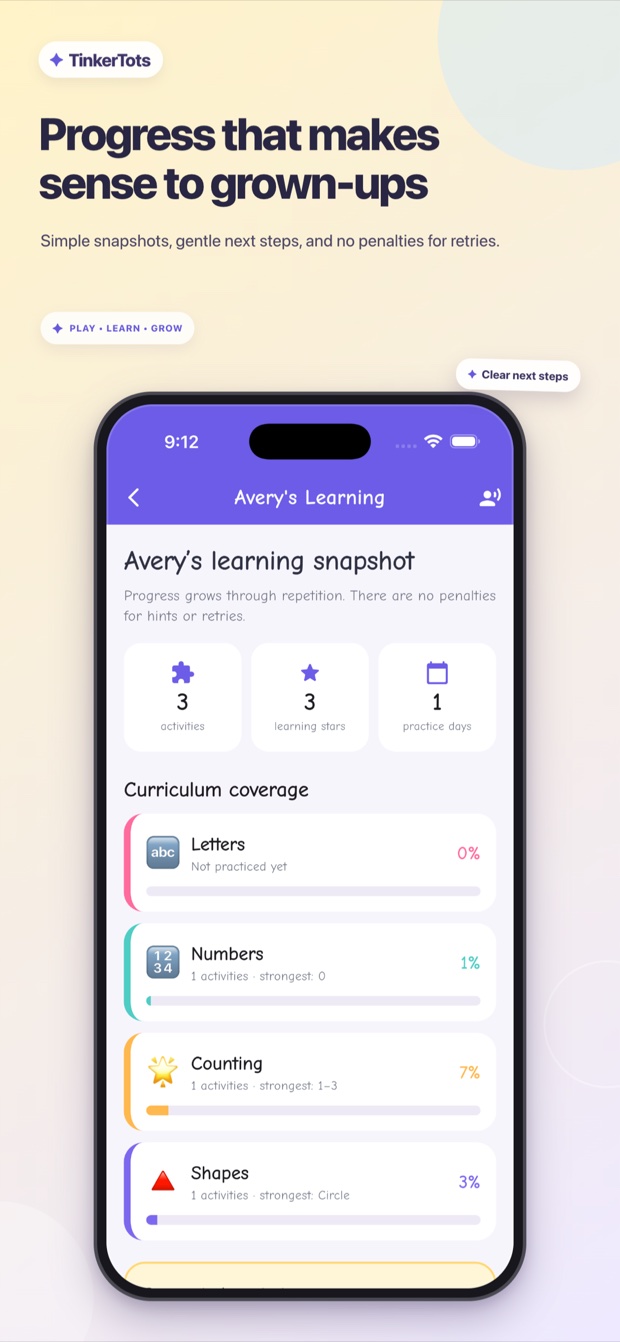
Parent Progress brings recent activity and learning signals together, while individual profiles keep each learner's age range, progress, avatar, and rewards organized.
✦ Progress in one place
Review recent learning activity for each profile instead of piecing together separate sessions. The parent-facing view makes progress easier to understand while children keep a playful experience of their own.
✦ Built for family accounts
Profiles and parent controls help families keep learning organized across different ages.
Keep age ranges, avatars, activity, progress, and rewards separate for each learner.
Review recent activity and learning signals to understand what has been practiced.
Protect profile management and parent-facing areas from accidental changes.
Access account, data, leaderboard-removal, and deletion support from one help page.
✦ Thoughtful family controls
TinkerTots does not show third-party advertising. The Privacy Policy explains account, learner, activity, AI, purchase, and support information, along with available parent choices.
✦ See each learning path
✦ Learning for the whole family
Download TinkerTots for preschool practice, knowledge quizzes, rewards, games, and parent progress tools.